Guide walkthrough
Start reading here
This is the main article body, where the page shifts from summary cards into the actual workflow and decision-making notes.
On this page
A liquidity sweep marker starts with the prior high or low
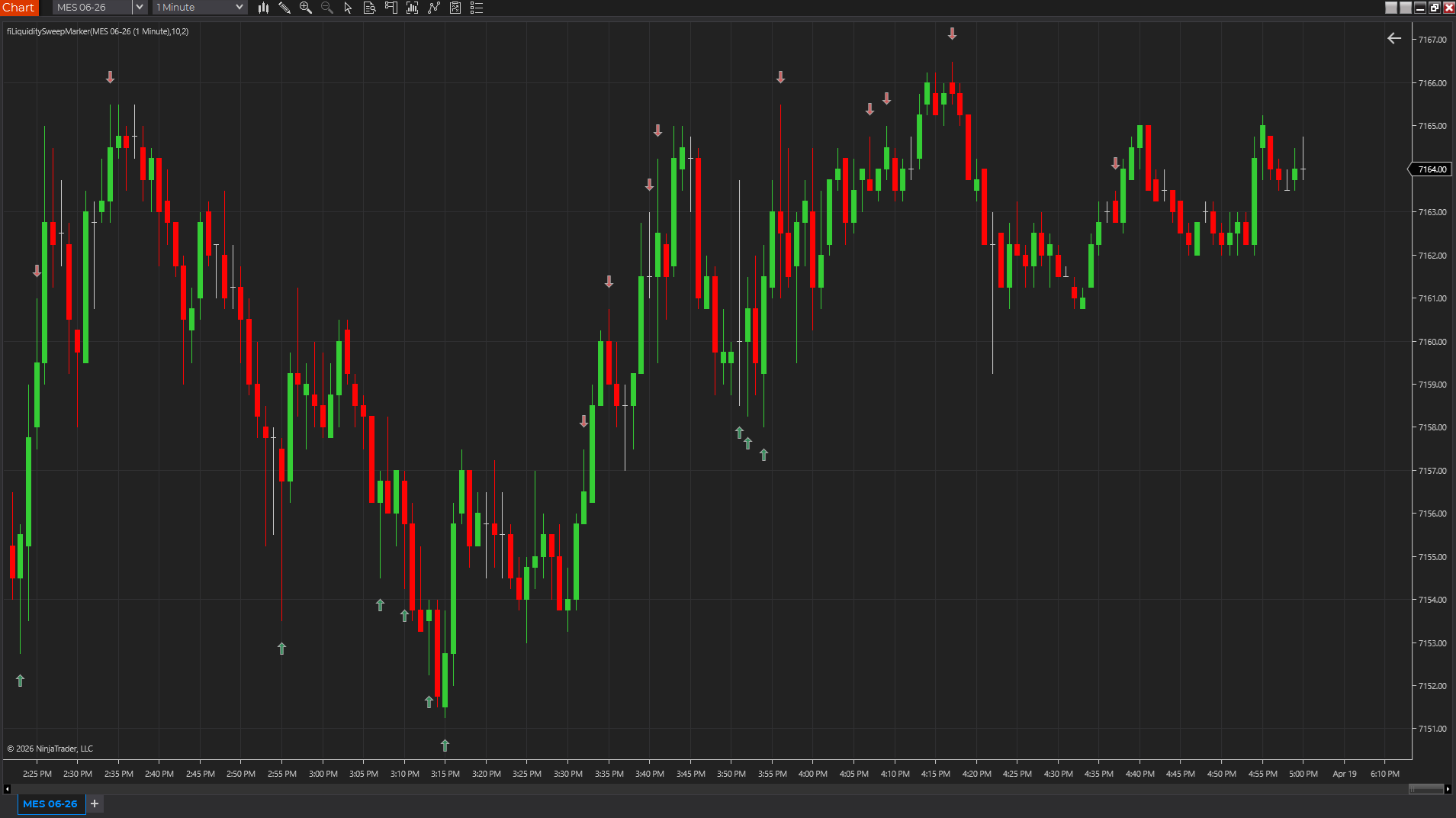
The simplest Pine Script liquidity sweep indicator compares the current bar against a recent high or low, then checks whether price closes back inside that reference. That separates a clean breakout attempt from a failed break or stop-clearing probe.
- Use a lookback to define the recent high and low.
- Mark a high sweep when price trades above the prior high and closes back below it.
- Mark a low sweep when price trades below the prior low and closes back above it.
The close-back-inside rule matters more than the marker
A wick beyond a prior high or low is not enough by itself. The practical sweep definition usually needs rejection, which is why the close relative to the swept level matters. Without that check, the script will mark many normal breakouts as sweeps.
- Require close below the swept high for a bearish sweep marker.
- Require close above the swept low for a bullish sweep marker.
- Test the rule on completed bars before adding alerts.
Liquidity sweep scripts need location context
A TradingView liquidity sweep indicator is most useful around obvious structure, session highs/lows, prior-day levels, or range boundaries. On a random part of the chart, the same marker can become noise.
- Prior highs and lows make better references than arbitrary tiny swings.
- Session levels and opening range boundaries can make sweep markers more meaningful.
- Volume or follow-through context helps separate meaningful rejection from noise.
Use Pine source as a testable starting point
The related Liquidity Sweep Marker page includes source-backed examples, including a TradingView Pine Script version. Use that as a readable starting point, then adjust lookback, marker offset, and alert behavior around the market you actually trade.
- Start from the source page before rewriting the logic.
- Tune lookback length before changing the visual style.
- Treat alerts as prompts for review, not automatic trade decisions.
Best next reads
These pages pick up the questions most readers usually have next, so you do not have to back out and start a fresh search.
Frequently asked questions
What is a liquidity sweep indicator in TradingView?
It is a script that marks when price trades beyond a recent high or low and then closes back inside that level, suggesting a possible failed break or stop-clearing move.
Does a liquidity sweep always mean reversal?
No. A sweep is a context event, not a reversal guarantee. It should be judged with location, follow-through, volume, and the broader market structure.
What Pine Script logic is used for a simple liquidity sweep?
A common pattern is priorHigh = ta.highest(high[1], lookback), priorLow = ta.lowest(low[1], lookback), then mark high > priorHigh and close < priorHigh or low < priorLow and close > priorLow.